Categories
Customer experience Restaurant Restaurant POS Retail Retail POS

Do You Really Know How Your Business Is Performing?

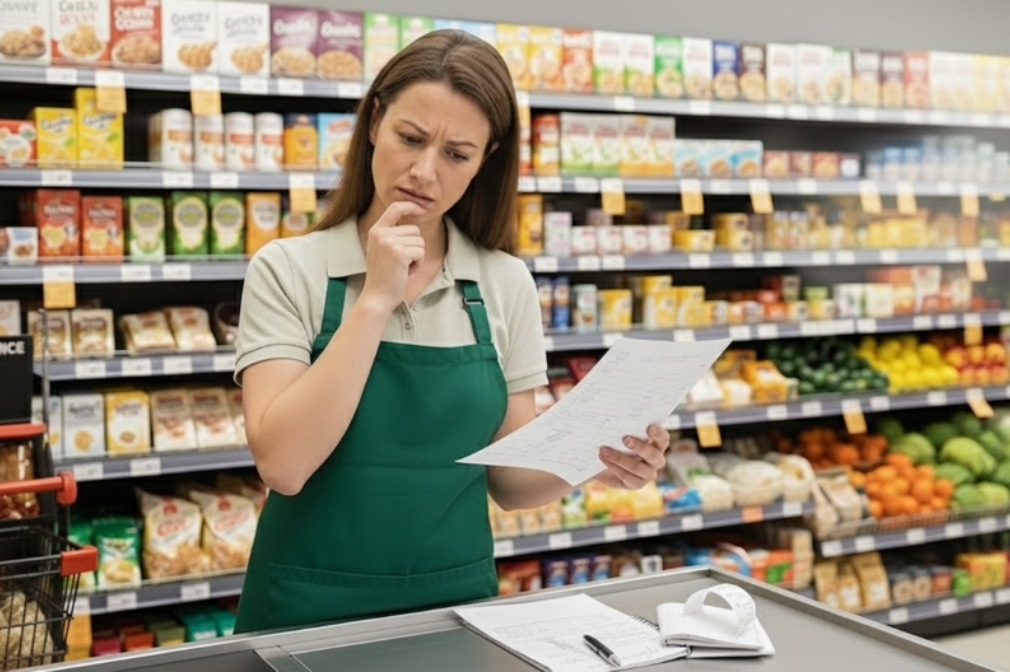
Running a retail store or restaurant is not just about making sales. It is about understanding what is actually happening behind those numbers. Many business owners feel confident when the cash counter looks busy or the store is crowded. But does that really mean your business is performing well?

The truth is, without clear data and meaningful insights, it is easy to miss what is working, what is not, and where money is silently leaking. This is where business analytics and reporting become essential.

Why Feeling Busy Is Not the Same as Performing Well

A common mistake among small and growing businesses is relying on gut feeling. You may feel that sales are increasing, inventory is under control, or staff performance is fine.

But unless you are tracking the right metrics, these assumptions can be misleading.

For example:

  • Are profits growing, or is it just sales volume?
  • Are certain products selling well while others remain unsold?
  • Are peak hours being fully utilised?
  • Are billing errors affecting revenue?

Without proper reporting, these questions remain unanswered.

What Does Business Performance Really Mean?

Business performance goes beyond daily sales totals. It includes:

  • Sales trends across days, weeks, and months
  • Product and category performance
  • Inventory movement and stock ageing
  • Payment method breakdown
  • Staff efficiency and error tracking
  • Peak hours and customer behaviour patterns

Modern businesses rely on POS analytics and reporting to track these insights in real time rather than waiting for end-of-month summaries.

The Problem With Manual Reports and Spreadsheets

Many retailers and restaurant owners still depend on manual registers, spreadsheets, or handwritten end-of-day reports.

While this approach may seem manageable, it often leads to:

  • Delayed and inaccurate data
  • Missed errors
  • Poor visibility into trends
  • Reactive decision-making

Manual reporting also becomes difficult to manage when a business grows or operates across multiple locations.

How POS Analytics Changes the Way You See Your Business

A modern POS solution with built-in analytics allows business owners to move from guesswork to clarity.

With POS reporting tools, you can:

  • View real-time sales reports
  • Identify best-selling and slow-moving products
  • Track inventory levels accurately
  • Understand peak business hours
  • Monitor store performance from a single dashboard

This visibility helps owners take timely action, whether it is restocking fast-moving items, adjusting pricing, or improving staff scheduling.

Real-Time Data Leads to Better Decisions

One of the biggest advantages of POS analytics is real-time reporting. Instead of waiting days or weeks for insights, you can see business performance as it happens.

This helps businesses:

  • Reduce inventory waste
  • Avoid stock shortages
  • Control operational costs
  • Improve cash flow
  • Increase profitability

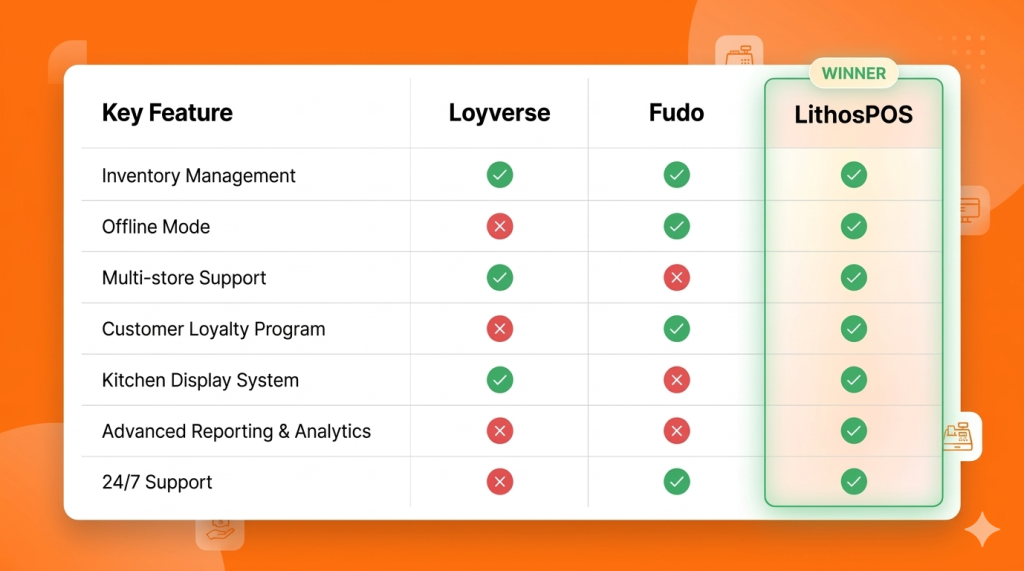
POS software like LithosPOS is designed to provide clear and actionable insights without overwhelming users with complex data.

Analytics for Retail and Restaurant Businesses

Analytics needs vary slightly across industries, but the goal remains the same: better control and smarter decisions.

For Retail Businesses:

  • Product performance analysis
  • Inventory turnover reports
  • Category-wise sales insights
  • Payment method trends

For Restaurants and Cafes:

  • Peak hour analysis
  • Menu item performance
  • Order volume tracking
  • Staff-wise billing accuracy

POS analytics help businesses understand what drives revenue and where improvements are needed.

Simplifying Multi-Location Performance Tracking

For businesses operating multiple outlets, tracking performance can become challenging. Centralised POS reporting makes this easier by offering:

  • Location-wise sales comparisons
  • Consolidated reports
  • Central inventory visibility
  • Unified performance dashboards

This ensures consistency across outlets and supports confident business expansion.

Why Cloud-Based POS Reporting Matters

Cloud-based POS reporting ensures business data is accessible anytime and from anywhere. It also offers better data security, automatic backups, and real-time updates.

This is especially useful for owners who want visibility into operations without being physically present at the store every day.

Are You Using Data or Just Collecting It?

Many businesses collect data but fail to use it effectively. Real business intelligence comes from understanding trends, asking the right questions, and acting on insights.

A POS solution with smart analytics turns raw data into clear answers, helping owners truly understand how their business is performing.

Final Thoughts

If you are unsure about your sales trends, inventory movement, or operational efficiency, it may be time to rethink how you analyse your business.

POS software like LithosPOS helps retail and restaurant businesses gain clarity through powerful analytics and reporting, without unnecessary complexity. With operations across more than 40 countries, it supports growing businesses with real-time insights and better control.

Want to understand your business performance better?
Try a free trial or book a demo to see how data-driven decisions can transform the way you run your retail/F&B business.

Categories
Branding Customer experience kiosks Retail Retail POS Small businesses

How POS Software Helps Small Retailers Survive Tough Times

Small retailers often feel the pressure first when economic conditions shift. Reduced footfall, rising operational costs, supply chain disruptions, and shrinking profit margins make day-to-day operations more challenging. However, many resilient retailers successfully navigate tough times by relying on smart, data-driven tools. One such tool is POS software, a powerful solution that improves efficiency, reduces waste, and supports better decision-making.

In this blog, we explore how POS software helps small retailers survive tough times, stabilise operations, and stay competitive even during economic downturns.

1. Improving Inventory Accuracy to Reduce Losses

During slow economic periods, every product on the shelf matters. Overstocking ties up capital, while understocking results in missed sales. POS software provides accurate, real-time inventory visibility so retailers can:

  • Track stock levels instantly
  • Reduce dead stock and over-purchasing
  • Forecast demand with historical sales trends
  • Identify best-selling and slow-moving items

Effective inventory management is one of the strongest survival strategies for small retailers, especially when controlling costs becomes a priority.

2. Reducing Human Error with Automation

Manual processes increase the chances of mistakes, misbilling, duplicate entries, incorrect discounts, and stock mismatches. These errors become expensive during tough economic conditions.

POS software minimises risks through automated:

  • Billing
  • Tax calculations
  • Discount application
  • Stock updates
  • Reporting

With fewer mistakes and better accuracy, retailers can safeguard their margins.

3. Faster Checkout to Improve Customer Satisfaction

Slow checkout experiences often drive customers away. During difficult economic periods, shoppers become more selective and prefer businesses that value their time.

A modern retail POS offers:

  • Faster billing speed
  • Multiple payment options
  • QR, card, and wallet acceptance
  • Smooth and error-free checkout

This leads to shorter queues, better customer satisfaction, and higher chances of repeat visits. Even when demand fluctuates, a fast checkout process helps maintain consistent sales.

4. Data-Driven Decisions with Real-Time Business Insights

Tough times require smarter decision-making, not assumptions. POS software gives small retailers actionable insights through:

  • Daily sales reports
  • Category-wise performance
  • Hourly or seasonal trends
  • Customer buying patterns
  • Profit margins and cost reports

When retailers know exactly what is selling, what isn’t, and when customers prefer to shop, they can plan promotions, stock purchases, and staffing more effectively. This data-driven approach protects profitability and reduces unnecessary expenses.

5. Supporting Multi-Channel Selling to Increase Revenue

When foot traffic drops, retailers must diversify their selling channels. Instead of shifting fully to online operations, small retailers can start online sales alongside their offline store.

POS software enables:

  • Unified inventory across online and offline
  • Centralised customer data
  • Easy order management
  • Real-time stock sync
  • Smooth omnichannel operations

By reaching customers across different channels, retailers reduce dependency on walk-ins and maintain steady revenue flow even in downturns.

6. Building Strong Customer Loyalty During Downturns

Customer retention becomes more important when acquiring new customers becomes expensive. POS software plays a big role in strengthening customer loyalty by enabling:

  • Loyalty points
  • Exclusive member offers
  • Digital receipts
  • Customer purchase history
  • Personalized recommendations

When customers feel valued, they are more likely to return even during difficult economic conditions. This ensures stable revenue and long-term relationships.

7. Maintaining Business Continuity with Offline Functionality

Internet disruptions can stop billing and create frustration for both staff and customers. In tough times, retailers cannot afford downtime.

A POS solution with offline functionality ensures:

  • Billing without internet
  • Automatic data sync once online
  • Continuous operations
  • No missed sales

This reliability protects revenue and builds customer trust.

8. Strengthening Long-Term Business Stability

Tough times require adaptability, and POS software gives small retailers the flexibility they need. With better data, faster processes, and reduced operational costs, retailers can:

  • Keep their business steady
  • Retain customers
  • Increase profitability
  • Make smarter decisions
  • Compete with larger retailers

Technology becomes the backbone that helps retail businesses survive and grow even in unpredictable markets.

If you want to use a modern, efficient POS solution…

POS software like LithosPOS supports small retailers with powerful tools for billing, inventory management, payments, customer loyalty, analytics, and multi-channel operations all in one place. It’s designed to help retail businesses stay efficient, accurate, and profitable in any economic condition. 

LithosPOS is trusted by businesses in 50+ countries and continues to help retailers simplify operations and grow steadily.

👉 Try a free trial today
👉 Book a demo to see how it works

Categories
Branding Customer experience kiosks Restaurant Restaurant POS Retail POS Small businesses

How QR Code Ordering Can Transform Table Turnover for Your Restaurant

If you run a busy restaurant, you already know that every minute matters. The faster you take orders, serve food, and clear tables, the more guests you can serve and the more revenue you make.

But here’s the catch: traditional service is slow. Handing menus, taking orders manually, keying them into the POS, bringing bills, this all eats up time.

This is where QR code ordering comes in, and it’s revolutionizing how restaurants handle table turnover.

What Is QR Code Ordering?

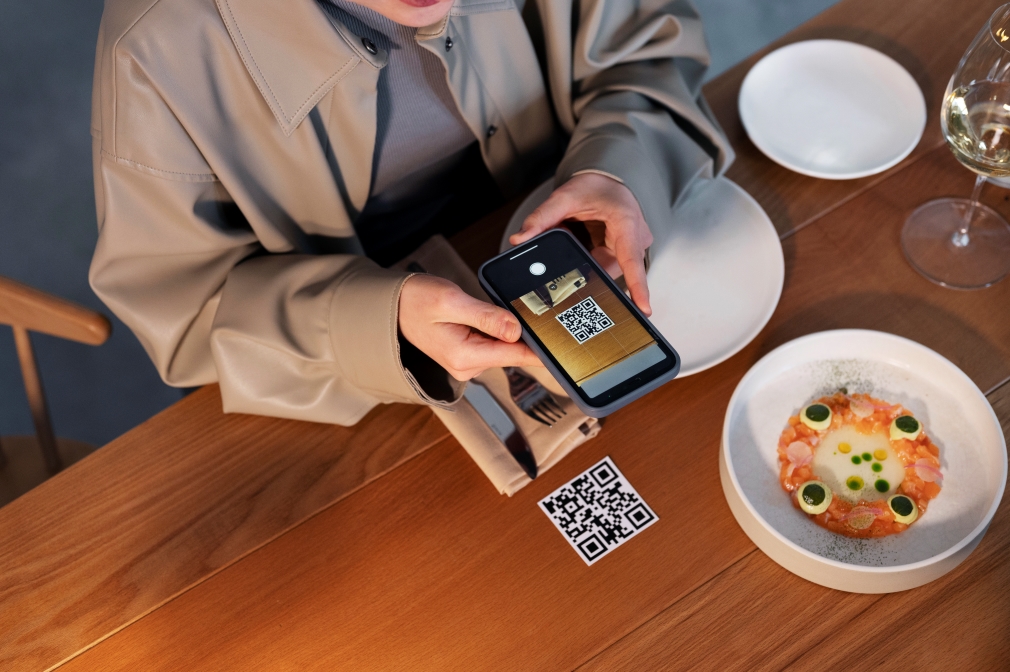
QR code ordering lets guests scan a QR code on their table, open a digital menu, place their orders, and even make payments directly from their smartphones. This removes the wait for servers, speeds up communication with the kitchen, and reduces human error.

Why Faster Table Turnover Matters

A restaurant with slow table turnover might serve fewer customers per day, even with a full dining area. Improving turnover means:

  • More guests served without extra seating
  • Shorter wait times for new customers
  • Higher daily revenue
  • Better guest satisfaction

How QR Code Ordering Improves Table Turnover

1. Instant Ordering as Soon as Guests Sit

No more waiting for a server to bring menus. Guests can scan the QR code, explore your digital menu, and send orders instantly to your POS.

  • Orders reach the kitchen faster
  • Customers spend less time deciding
  • Your staff can focus on delivering food

2. Direct Kitchen Communication for Faster Prep

QR orders are sent straight to the kitchen display system (KDS) or POS. This eliminates delays caused by manual order-taking or miscommunication.
✅ Faster prep time
✅ Reduced errors
✅ Smoother service flow

3. Shorter Checkout Process

Waiting for the bill often adds 10–15 minutes to table time. QR code ordering with contactless payment options like UPI, cards, or wallets allows guests to pay instantly and leave when they’re ready.

4. Boosts Staff Productivity

Your servers don’t have to spend time taking orders or printing bills. Instead, they can focus on:

  • Greeting new guests
  • Delivering food and drinks
  • Clearing tables faster

This increases efficiency while still providing excellent hospitality.

5. Encourages Upselling Without Slowing Service

Digital menus can feature:

  • Add-on suggestions (extra toppings, sides, drinks)
  • Mouth-watering food images
  • Highlighted specials

This increases the average order value without requiring guests to wait for server recommendations.

The Bottom Line

QR code ordering isn’t just a convenience feature; it’s a growth tool for restaurants. Cutting order wait times, speeding payments, and improving accuracy helps you:

✅ Serve more guests per shift
✅ Boost revenue without adding more seats
✅ Deliver a smoother, faster dining experience

If you’re ready to upgrade your operations, consider a POS solution that integrates QR ordering, payments, and kitchen display systems. This all-in-one approach ensures you’re not just keeping up with trends, you’re staying ahead of them.

Suppose you want to increase efficiency in your restaurant or retail business. In that case, LithosPOS is the best solution. Contact us today to get started and take your operations to the next level.

Categories
Customer experience Restaurant Restaurant POS Retail Retail POS

Tap-to-Pay: A Safer, Smarter, and Faster Way to Accept Payments

A Smarter Way to Pay –
Fast, secure, and effortless, that’s what customers expect when making a purchase. Cash and outdated payment methods are quickly becoming a thing of the past. Tap-to-pay technology delivers a smooth, contactless experience that fits the pace of modern life.
By offering tap-to-pay, businesses aren’t just keeping up, they’re leading the way in customer convenience.

What is Tap-to-Pay?

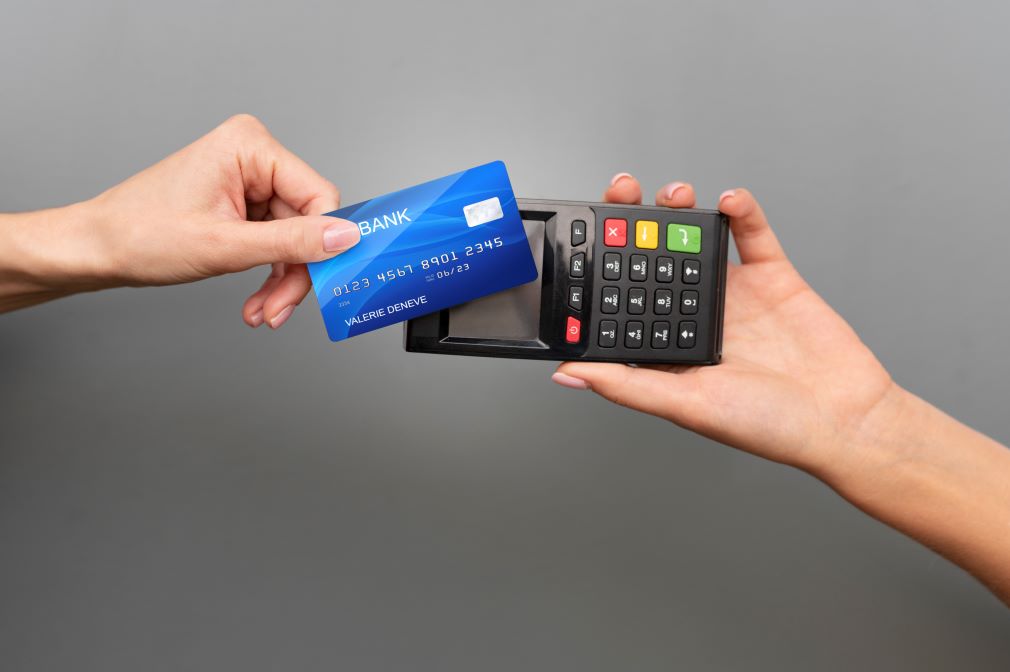
Tap-to-pay is a contactless payment method that allows customers to make transactions by simply tapping their card, phone, or wearable device near a payment terminal. It relies on NFC (Near Field Communication) technology to exchange encrypted payment data securely.

There’s no need for physical contact or extra steps. The payment is processed almost instantly, making it ideal for fast-paced environments like cafes, supermarkets, salons, and retail stores.

Why Tap-to-Pay is Essential for Modern Businesses

Tap-to-pay isn’t just a convenience feature; it’s a complete upgrade in the way businesses handle payments.

Here’s why more merchants are embracing this technology:

🔒 Enhanced Security with Tokenization

Each tap-to-pay transaction uses tokenization, where a unique, one-time-use encrypted code is generated for that specific payment. This means the actual payment data is never exposed during the transaction, reducing the risk of data breaches or misuse.

📱 Works with Smart Devices

Tap-to-pay is compatible with smartphones, smartwatches, and other wearable devices. Whether customers use digital wallets like Apple Pay, Google Pay, or Samsung Pay, they can complete transactions with just a quick tap.

This gives your business the flexibility to serve a tech-savvy generation that prefers digital-first solutions.

⚡ Lightning-Fast Checkout

Speed matters especially in busy retail or food service settings. Tap-to-pay allows payments to be completed in seconds, significantly reducing queue times and improving customer satisfaction.

Faster checkouts mean more transactions processed during peak hours and happier customers who don’t have to wait.

🧼 Contactless = Hygienic

Post-pandemic, people are more conscious of hygiene in public spaces. Tap-to-pay eliminates the need to handle cash, touch terminals, or hand over cards or devices. It promotes a touch-free checkout experience, reducing the spread of germs and enhancing safety for both staff and customers.

🌐 Globally Accepted and Growing

Contactless payments are becoming the standard worldwide. From large cities to small towns, tap-to-pay is widely accepted and increasingly preferred. Regulatory bodies and payment service providers are also supporting its adoption through better infrastructure and higher limits for contactless transactions.

How LithosPOS Supports Tap-to-Pay for Retailers and Restaurants

Offering tap-to-pay requires the right POS infrastructure. That’s where LithosPOS steps in. As a complete point-of-sale solution for retail and restaurant businesses, LithosPOS is designed to support contactless payment technology effortlessly.

Here’s how LithosPOS helps:

✅ Integrated NFC Payment Support

LithosPOS works seamlessly with NFC-enabled payment terminals and supports major digital wallets and payment services across the globe.

✅ 50+ Payment Integrations

You can choose from over 50 payment providers integrated into the platform, offering flexibility to work with the service that best suits your region and business type.

✅ Real-Time Transaction Tracking

All contactless transactions are securely recorded in your POS dashboard, allowing for real-time monitoring, reporting, and reconciliation.

✅ Multi-Location Ready

Running multiple stores or franchises? LithosPOS enables centralized tap-to-pay setup and monitoring across all outlets, making it easy to maintain consistency and control.

Tap-to-Pay Use Cases: Where It Shines

Whether you’re a small shop or a growing chain, tap-to-pay has benefits across all sectors:

  • 🛍️ Retail Stores: Quick checkout for fashion, electronics, lifestyle, or grocery products
  • Cafes & QSRs: Speed up service without compromising accuracy or hygiene
  • 🍽️ Restaurants: Enable staff to collect payments right at the table using smart devices
  • 🧴 Salons & Spas: Offer a premium, hygienic experience for clients
  • 🏪 Convenience Stores: Keep lines moving fast during rush hours

No matter the size or type of your business, contactless payments can improve the experience for both customers and staff.

FAQs About Tap-to-Pay for Business Owners

Q1: Do I need new hardware for tap-to-pay?

You need an NFC-enabled terminal, which is easily supported through LithosPOS’s payment partners. Most modern terminals are already tap-to-pay ready.

Q2: Is it safe for large transactions?

Yes. Contactless payments are protected by encryption and tokenization. For higher amounts, customers may need to authenticate using biometrics or passcodes.

Q3: Does LithosPOS work with digital wallets?

Absolutely. LithosPOS supports all major digital wallets, including Apple Pay, Google Pay, Samsung Pay, and more.

Q4: Is tap-to-pay supported offline?

LithosPOS offers offline functionality, allowing your store to continue operating even during internet outages. The payment data is securely stored and synced once the connection is restored.

Q5: How can I activate tap-to-pay in LithosPOS?

Simply contact the LithosPOS team or your preferred payment provider integrated with LithosPOS. Setup is quick, and our support team is ready to help you.

Final Thoughts: Tap into the Future of Payments

Tap-to-pay is more than a convenience — it’s a modern standard. It offers speed, safety, and simplicity, while improving trust between businesses and customers.

By choosing POS software like LithosPOS, you can unlock the full potential of contactless payments. From faster checkouts to enhanced security, LithosPOS equips you with the tools you need to grow in a competitive market.

Ready to offer tap-to-pay at your business?

Let LithosPOS help you get started with seamless, secure, and contactless payment solutions.

👉 Contact us now or visit our website to learn more.

Categories
Customer experience kiosks Retail Retail POS

Why Retail Business Is Not for Everyone – The Harsh Reality

Starting a retail business can be an exciting venture. The idea of running your store, interacting with customers, and building a brand from scratch seems appealing. Walk through any busy market, and you’ll see shop owners managing their operations with focus and dedication. But what you don’t always see is the intense effort, risk, and stress that comes with the territory.

The truth is, retail is not the right path for everyone. While it offers rewarding experiences to those who are prepared, it can quickly become overwhelming for those who aren’t fully aware of the challenges involved.

The Misconception of “Easy Business”

Many new entrepreneurs believe retail is simple: buy products, sell them, and make a profit. However, behind every sale lies a lengthy list of responsibilities, including managing relationships with suppliers, handling inventory, hiring and training staff, overseeing finances, and ensuring customer satisfaction. These tasks are not just time-consuming but also mentally demanding.

Retail owners often work 12–14 hours a day. Holidays and weekends are usually peak business periods, which means very little time off. If you’re looking for flexibility or a lifestyle business, retail might not deliver what you expect.

Thin Margins and Tough Competition

Retail businesses often operate with tight profit margins. Whether you’re selling groceries, fashion, or electronics, there’s likely already a competitor nearby offering the same products at similar or even lower prices. In such an environment, even minor mistakes can eat into your profits.

Moreover, consumer expectations are growing. People want fast service, multiple payment options, and stock availability. If you can’t meet these expectations, your customers may quickly turn to a competitor.

Lack of Technology Can Hold You Back

A major issue many retailers face, particularly in developing regions, is the lack of digital tools. Many businesses still depend on manual billing, handwritten inventory logs, and guesswork to manage their stock. This leads to frequent errors, delays, and lost revenue.

Modern businesses need smart solutions. That’s where tools like LithosPOS make a significant difference. A reliable POS solution helps automate billing, manage inventory across multiple outlets, track sales in real time, and integrate with online platforms. Retailers using such tools gain better control and improve their decision-making through data-driven insights.

The Importance of the Right Attitude

Running a retail business successfully takes more than money; it requires consistency, quick thinking, people skills, and adaptability. Retail owners often wear multiple hats: from being a cashier and stock manager to dealing with suppliers and resolving customer complaints.

This constant multitasking is not for everyone. If you prefer a more hands-off or less dynamic business environment, retail may not suit your style. However, for those who enjoy day-to-day problem-solving and direct customer interaction, it can be highly rewarding.

The Retail Landscape Is Changing

The shift toward digital commerce is transforming how retail operates. Consumers now browse and order through social media, WhatsApp, eCommerce websites, and aggregator platforms. Retailers must evolve to stay relevant.

Those who succeed are the ones who embrace technology, automation, and data insights. With the right tools, retailers can easily connect their online and offline operations, monitor performance in real time, and make smarter business decisions.

Ask Before You Leap

Before jumping into retail, ask yourself:

  • Am I ready to work long hours and handle high-pressure situations?
  • Do I enjoy dealing with people regularly?
  • Can I manage staff, track inventory, and respond quickly to daily challenges?
  • Am I willing to learn and invest in technology?

If your answers are yes, then you might be ready. But remember: even if you’re committed, without the right tools, scaling and sustaining a retail business is difficult in today’s landscape.

Frequently Asked Questions (FAQs)

  1. Why do some retail businesses fail?
    Failure often stems from weak planning, poor stock management, reliance on manual processes, and a lack of responsiveness to market changes.
  2. Is retail still a profitable business?
    It can be, especially for those who focus on excellent customer service, streamline their operations, and leverage the right technology.
  3. What is a common mistake new retail owners make?
    Many new retailers underestimate how demanding daily operations can be and delay investing in essential tools like POS software, which affects efficiency and profitability.
  4. How can small retail stores remain competitive?
    By building strong customer relationships, keeping shelves stocked, and using digital tools to enhance both operations and customer satisfaction.
  5. Is POS software necessary for a small shop?
    Absolutely. Even small stores benefit from POS software, as it speeds up billing, minimizes errors, manages inventory effectively, and provides useful business insights.

How LithosPOS Can Help You Succeed in Retail

While retail isn’t meant for everyone, those who are ready to take on the challenge can still succeed, especially with the right tools in place.

LithosPOS, an advanced cloud-based POS solution, is designed to simplify and modernize retail operations for businesses of all sizes. Whether you run a small store or manage multiple outlets, LithosPOS helps you:

  • Automate billing and reduce checkout time
  • Manage inventory across multiple locations
  • Accept various payment methods, including UPI, cards, wallets, and more
  • Generate real-time reports for smarter decision-making
  • Connect with eCommerce and aggregator platforms seamlessly
  • Run promotions and loyalty programs to retain customers
  • Operate offline so sales continue even without the internet

With LithosPOS, retailers are now managing their operations more efficiently, scaling faster, and delivering better service to their customers.

Don’t Want to Fail in Retail? Start Smart.

Retail isn’t easy, and without the right tools, it’s even harder. If you want to avoid common pitfalls and run a successful store, you need smart systems from day one.

LithosPOS helps you simplify billing, manage inventory, track sales, and grow your business all in one place.

Don’t just survive in retail. Succeed with LithosPOS.
👉 Contact us today to get started.

📩 support@lithospos.com ☎️+1 718-690-2099 🌐 lithospos.com

Categories
Branding Customer experience Restaurant POS

How to Manage Multiple Store Locations Efficiently with POS Software like LithosPOS 

Expanding your business across multiple locations is a big achievement, but it comes with its own set of challenges. Whether you’re running a restaurant chain, a retail franchise, or a group of convenience stores, managing operations across several outlets can become overwhelming without the right tools.

That’s where a powerful, multi-location Point of Sale (POS) solution, like LithosPOS, becomes essential. It centralizes control, streamlines communication, and helps you make better decisions all in real-time.

In this blog, we’ll explore why multi-location management is important, the key challenges businesses face, and how LithosPOS helps solve them while boosting operational efficiency and customer satisfaction.

What is Multi-Location POS Software?

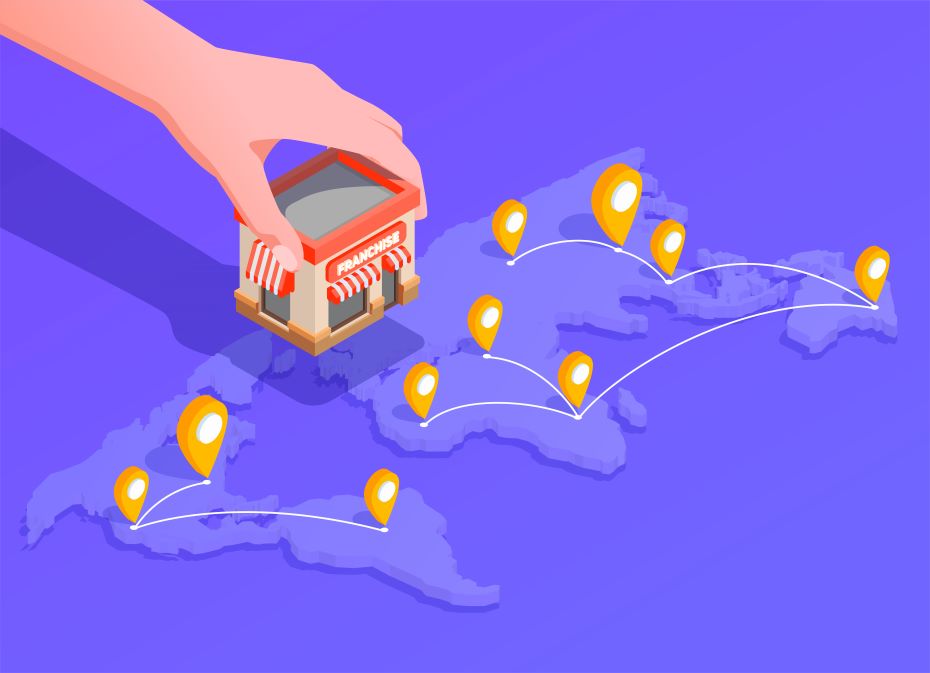
Multi-location POS software is designed to manage sales, inventory, staff, and reporting across various outlets under a single system. Rather than managing each location separately, it allows business owners to get a centralized view and manage operations in real-time, regardless of geographic distance.

Why Multi-Location Management Matters

As businesses grow and expand across different towns, cities, or even countries, maintaining consistency in operations becomes increasingly difficult. Every outlet might have its staff, customer base, and inventory needs. Without centralized control, these differences can lead to miscommunication, inefficiencies, and lost revenue.

Here’s why managing multiple locations from a unified platform is critical:

  • Ensures consistent pricing and promotions
  • Provides visibility into each location’s performance
  • Reduces manual errors in stock management
  • Improves staff accountability
  • Enhances the customer experience

Top Challenges in Managing Multiple Store Locations

Let’s break down the most common pain points faced by multi-location businesses:

1. Inventory Inconsistency

Stock discrepancies between outlets can lead to overstocking, stockouts, and missed sales opportunities.

2. Disjointed Sales Data

Without a unified system, collecting and analyzing data across branches is time-consuming and error-prone.

3. Poor Staff Coordination

Different teams working independently without a central system can cause misaligned processes and customer service issues.

4. Lack of Real-Time Insights

Delayed or inaccurate reporting hampers strategic decision-making.

5. Inconsistent Customer Experience

If loyalty programs or customer data are not synced, customers may receive a fragmented experience when visiting different outlets.

How LithosPOS Solves Multi-Location Management Issues

LithosPOS is a comprehensive, cloud-based POS solution designed to streamline operations across multiple locations. Here’s how it makes a difference:

✅ Centralized Dashboard

LithosPOS provides a single control panel to manage every outlet. Whether you have two branches or twenty, you can track sales, inventory, and employee performance from one place anytime, anywhere.

✅ Real-Time Inventory Sync

The platform updates stock levels in real-time across all locations. You can transfer inventory between stores easily, monitor low-stock alerts, and avoid duplicate ordering.

✅ Location-Based Pricing & Promotions

Customize pricing, taxes, and offers based on store location. This is especially useful for businesses operating in different cities or regions with varying customer preferences and regulatory requirements.

✅ Branch-Specific Reports

Generate insightful reports for individual locations or view overall performance. LithosPOS allows you to filter data by region, store, or time to understand what’s working and what needs improvement.

✅ Unified Customer Management

Customer data, such as purchase history, loyalty points, and preferences, is stored centrally. This helps you offer consistent and personalized experiences across all branches.

✅ Employee Role & Access Management

Assign staff roles and control permissions per location. This improves security and ensures each employee has access only to the tools they need.

✅ Offline Mode

Even in areas with unstable internet, your outlets can continue to operate without interruptions. Transactions are stored locally and synced once the connection is restored.

Answering Common Questions 

Q1: How can I manage multiple business locations from one platform?

By using POS software like LithosPOS], which offers a centralized dashboard to control inventory, sales, staff, and customer data across all outlets.

Q2: Can I transfer inventory between store branches using LithosPOS?

Yes. LithosPOS allows seamless stock transfers between locations, helping you balance inventory and prevent shortages or overstocking.

Q3: Is it possible to run each outlet independently while keeping data centralized?

Absolutely. Each branch operates independently, but all data is synced in real time and accessible from your central dashboard.

Q4: Does LithosPOS support offline operations for remote locations?

Yes. Outlets can continue operations without internet, and all data will automatically sync once connectivity is restored.

Q5: Can I generate location-specific performance reports?

Yes. LithosPOS offers advanced reporting filters so you can view performance metrics for each outlet or analyze overall trends.

Future-Proof Your Business Growth

As your business grows, managing multiple stores should be a strategic advantage, not a logistical nightmare. By investing in a robust POS solution like LithosPOS, you equip your team with the tools they need to stay efficient, consistent, and customer-focused across every location.

Conclusion: Simplify, Scale, and Succeed with LithosPOS

Managing multiple store locations doesn’t have to be complex. With LithosPOS, you can unify your operations, empower your staff, and deliver an exceptional customer experience everywhere you do business.

From inventory synchronization to location-specific pricing and centralized reporting, LithosPOS is built to support growing businesses that operate in more than one location.

Categories
Customer experience kiosks Retail Retail POS

Self-Checkout Kiosks for Supermarkets: A Smarter Way to Serve

Retail is changing fast. Customers want quicker, smoother, and more flexible shopping experiences. Supermarkets are adapting by introducing modern solutions that improve service without adding complexity. One standout solution is the self-checkout kiosk system, which allows customers to scan, pay, and leave without waiting in long queues. For forward-thinking supermarkets, self-checkout isn’t just a nice-to-have. It’s becoming essential.

What is a Self-Checkout Kiosk in a Supermarket?

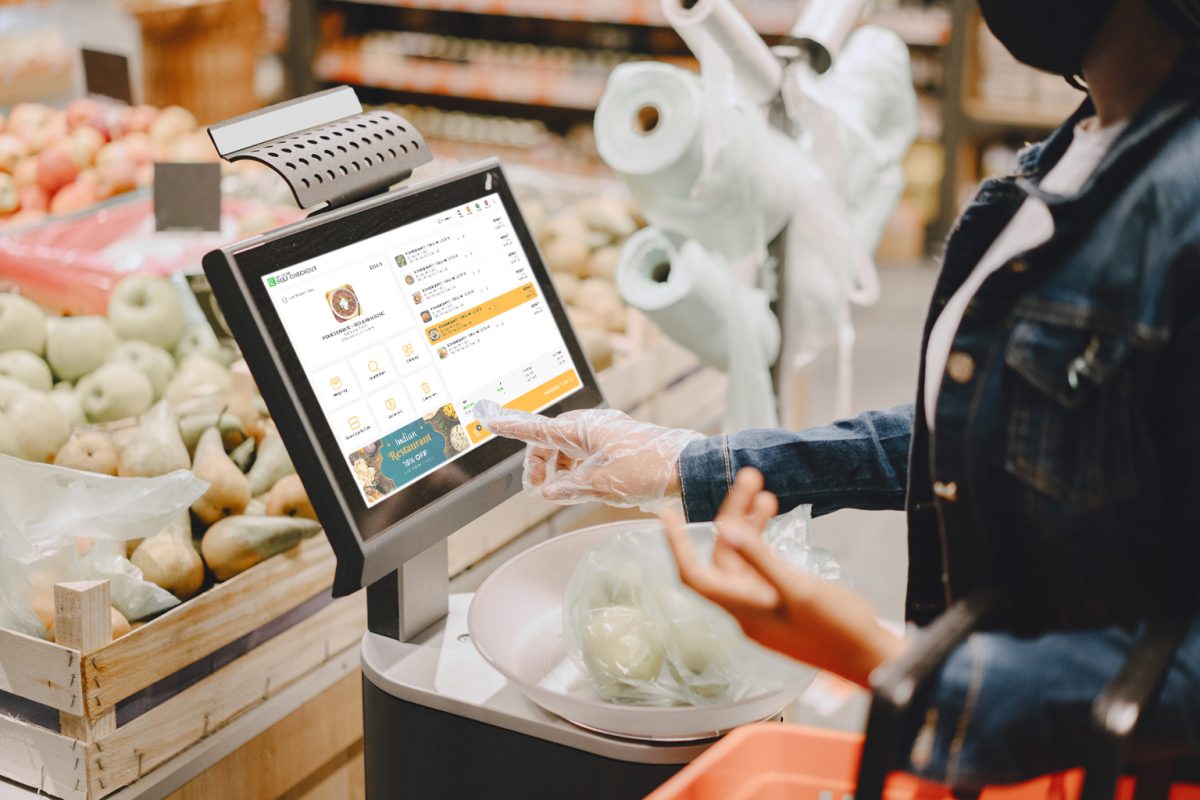
A self-checkout kiosk is a digital terminal equipped with a barcode scanner, touchscreen, and payment system. Positioned near store exits, these kiosks enable customers to:

  • Scan product barcodes
  • View their cart on screen
  • Apply discounts or loyalty rewards
  • Make digital or cashless payments
  • Print or email receipts

This automation enables supermarkets to reduce wait times, minimize staff workload, and enhance customer satisfaction.

How Do Self-Checkout Kiosks Work in Supermarkets?

Self-checkout kiosks follow a simple, user-friendly process:

  1. Start Session: The shopper selects their preferred language and starts the checkout process.
  2. Scan Items: Each product is scanned using a built-in barcode reader.
  3. Cart View: Items appear on the screen along with pricing.
  4. Apply Offers: Customers can input promo codes or scan loyalty cards.
  5. Payment: Payment can be made via card, UPI, QR code, or wallet.
  6. Receipt Generation: Once payment is confirmed, the kiosk prints or sends a digital receipt.

Modern kiosks like LithosPOS offer multilingual support, touchscreen navigation, and are optimized for both small and large stores.

Benefits of Self-Checkout Kiosks for Supermarkets

1. Faster Billing, Shorter Queues

Long queues are a common frustration in supermarkets. With self-checkout kiosks, multiple customers can check out simultaneously, reducing wait times.

2. Reduced Operational Costs

By allowing customers to self-serve, supermarkets can optimize staff allocation. Cashiers can be redeployed to assist customers or manage inventory.

3. Improved Customer Satisfaction

Shoppers appreciate the autonomy and speed that kiosks provide. This leads to a better in-store experience and increases customer loyalty.

4. Increased Transaction Accuracy

Kiosks reduce human errors in billing and pricing. Every scanned item is automatically linked to the product database.

5. Space-Efficient 

Self-checkout kiosks occupy less space compared to traditional billing counters, enabling better store layout and navigation.

Why Supermarkets in Metro Cities Are Adopting Self-Checkout

Urban supermarkets face high foot traffic and increasing customer expectations. Metro cities, known for their tech-savvy population, are ideal for self-checkout adoption. Shoppers are comfortable using digital tools, and stores are constantly innovating to stay ahead.. Shoppers are comfortable using digital tools, and stores are constantly innovating to stay ahead.

In high-footfall metro areas, supermarkets have already started integrating smart billing solutions to:

  • Manage peak hours efficiently
  • Offer contactless checkout options
  • Improve sales floor productivity

This regional adoption trend positions self-checkout kiosks as a competitive advantage for modern grocery retailers.

Is Self-Checkout Suitable for All Supermarkets?

Yes, self-checkout solutions are flexible and scalable. Whether it’s a local grocery store or a large supermarket chain, kiosks can be tailored to fit the business model.

Ideal scenarios include:

  • Stores with high customer volume
  • Retailers looking to reduce queue time
  • Businesses aiming to optimize labor costs
  • Outlets that promote digital or contactless payments

How LithosPOS Makes Self-Checkout Easy for Supermarkets

LithosPOS provides an intelligent, intuitive, and affordable self-checkout solution tailored for Indian supermarkets. Here’s how LithosPOS stands out:

  • Device Agnostic: Runs on any Android device or tablet.
  • Offline Mode: Works without internet, ensuring uninterrupted billing.
  • Multi-Language Support: Ideal for diverse customer bases.
  • Inventory Integration: Real-time sync with stock.
  • Analytics Dashboard: Store owners can track performance, busiest hours, and sales trends.

FAQs:

Q: What is a self-checkout kiosk?

A self-checkout kiosk is a self-service terminal that allows supermarket customers to scan, pay, and complete purchases without a cashier.

Q: Is self-checkout secure?

Yes. Modern kiosks like LithosPOS use encrypted payment systems and track all transactions digitally.

Q: Can small supermarkets use self-checkout kiosks?

Absolutely. LithosPOS offers customizable setups that work even for single-outlet grocery stores.

Q: How do customers learn to use the kiosk?

User-friendly interface, local language support, and on-screen prompts make it easy for anyone to use without assistance.

Q: Does self-checkout replace human staff?

Not completely. It allows staff to focus on high-value tasks like customer assistance, inventory, and store management.

Ready to bring self-checkout to your supermarket? Connect with LithosPOS today and experience the smarter way to serve.

Categories
Retail Retail POS

Why Cloud-Based POS Is Changing the Way Retailers Do Business

Introduction

Retail is no longer about simply ringing up sales at the counter. Today’s shoppers want flexibility, the ability to buy in-store, online, or through mobile channels. To keep up, retailers need technology that is just as adaptable. This is where cloud-based point-of-sale (POS) software comes in.

Cloud POS solutions are reshaping retail by helping businesses manage everything from sales and inventory to payments and customer experiences, all through a centralized, online platform. In this post, we’ll explore why more retailers are moving to cloud POS and how it can drive success for your business in 2025 and beyond.

What Is Cloud POS?

A cloud-based POS is a software application that runs online, rather than on a local server or computer. This means retailers can access their business data like sales figures, stock levels, and customer profiles from any device with an internet connection.

Traditional POS systems store information on-site, often making it harder to manage multiple stores or sales channels. In contrast, a cloud POS provides real-time visibility and flexibility, whether you’re running a single shop or a chain of outlets across different regions.

7 Key Advantages of Cloud POS for Retailers

1. View Business Data in Real Time

Cloud POS allows business owners and managers to see what’s happening across all stores as it happens. Sales reports, inventory updates, and customer insights are available instantly.

For retailers with multiple locations, such as brands expanding across the UAE, Singapore, or India, this visibility is critical for making informed decisions on stock, staffing, and marketing.

2. Lower Initial and Maintenance Costs

Unlike traditional POS setups that require significant hardware investments, cloud POS operates on a subscription model. You can avoid expensive servers and IT maintenance, helping smaller businesses scale faster.

As your business grows, adding new outlets or online stores is simple and cost-effective with a cloud-based platform.

3. Easy Updates and Automatic Upgrades

Cloud POS systems update automatically. There’s no need for downtime or manual installations. New features and security patches are rolled out regularly, ensuring your business always has access to the latest technology.

Retailers using solutions like LithosPOS can focus more on customers and less on managing their tech.

4. Seamless Integration Across Channels

Modern consumers often browse online before buying in-store or vice versa. A cloud POS helps retailers manage this journey by syncing online and offline sales, inventory, and promotions.

Whether customers shop through your website, mobile app, or physical store, a cloud-based system ensures consistent pricing, inventory availability, and loyalty rewards.

5. Smarter Inventory Control

Managing inventory manually can lead to errors, stockouts, or surplus items. A cloud POS helps retailers track inventory in real time and automate tasks like reorder alerts or stock transfers between stores.

For example, if a product sells out in one outlet, your system can suggest moving stock from another location or ordering more from suppliers.

6. Flexible Payment Options

Today’s shoppers expect multiple ways to pay, including cards, digital wallets, QR codes, and even buy-now-pay-later services.

Cloud POS solutions like LithosPOS support integrations with a wide range of payment providers, allowing retailers to offer faster, more convenient checkout experiences that build customer loyalty.

7. Enhanced Data Security and Backup

Data loss can be costly for any business. With cloud POS, all business information is securely stored in the cloud with encryption and regular backups.

If a device fails or internet connectivity drops, systems like LithosPOS offer offline functionality to ensure you can continue serving customers without disruption.

How Cloud POS Adoption Is Growing Around the World

Retailers across different regions are embracing cloud POS, and the drivers vary by market.

  • UAE. With rapid digital adoption and a thriving tourism sector, retailers in the UAE rely on cloud POS to manage both brick-and-mortar and e-commerce channels in multiple languages and currencies.
  • Singapore. In this highly connected market, small and medium businesses use cloud POS to compete with larger chains by offering personalized services and omnichannel experiences.
  • India. Indian retailers are integrating cloud POS to manage growing online marketplaces while streamlining in-store operations and mobile payments.

Each region offers different opportunities for retailers to leverage cloud POS in ways that match local consumer preferences and technology trends.

Retail Trends Driving Cloud POS Growth in 2025

🟢Omnichannel Retail
The lines between online and offline retail continue to blur. Cloud POS enables retailers to unify their sales, inventory, and customer data across all channels, creating seamless shopping experiences.

🟢Personalized Shopping
Consumers expect brands to remember their preferences. With a cloud POS, retailers can capture and analyze customer data to deliver personalized offers, loyalty rewards, and targeted marketing.

🟢Mobile-First Commerce
Many markets, especially in Asia, are mobile-first. Cloud POS supports mobile checkout and mobile apps for staff, allowing retailers to serve customers anywhere in the store or even outside of it.

🟢Data-Driven Insights
Retailers who use data effectively can make smarter decisions about pricing, inventory, and marketing. Cloud POS platforms provide real-time analytics and reporting tools to support this shift.

Why Retailers Are Moving Away from Traditional POS

Traditional POS systems lack flexibility, scalability, and modern features. Retailers switching to cloud-based solutions gain.

  • Lower upfront costs and predictable monthly fees
  • Freedom to manage the business from anywhere
  • Fast rollout of new stores and sales channels
  • Advanced features like loyalty programs and CRM
  • Easier integrations with e-commerce, payments, and delivery platforms
  • Greater resilience with secure cloud backups and offline operation

How LithosPOS Helps Retailers Succeed with Cloud POS

LithosPOS offers a cloud-based retail POS platform built for modern businesses. Whether you run a boutique or a multi-location chain, LithosPOS provides the tools you need to streamline operations and elevate the customer experience.

Features include.

  • Multi-store management with centralized dashboards
  • Real-time inventory and sales tracking
  • Support for 50+plus payment services in over 40 countries
  • Offline functionality to keep sales moving at all times
  • Built-in loyalty programs and customer engagement tools
  • Seamless integration with online marketplaces and delivery services

By helping retailers simplify day-to-day operations and unlock new growth opportunities, LithosPOS is powering the future of retail.

FAQs About Cloud POS for Retail

How is cloud POS different from traditional POS?
Cloud POS stores data online and provides access across devices, while traditional POS typically stores data on local hardware with limited flexibility.

Is cloud POS secure?
Yes. Leading cloud POS platforms like LithosPOS use encryption, regular backups, and advanced security protocols to protect your business data.

Does cloud POS work offline?
Yes. LithosPOS offers offline functionality, allowing retailers to continue processing sales even if the internet connection is temporarily lost.

Can cloud POS manage multiple stores?
Absolutely. Cloud POS is ideal for multi-location businesses. You can manage inventory, pricing, and promotions across all your stores from a single platform.

What types of payments does cloud POS support?
Cloud POS integrates with a wide range of payment providers, supporting cards, wallets, QR codes, and more.

Conclusion

Cloud-based POS solutions are revolutionizing how retailers manage their businesses. From improved efficiency and smarter inventory control to omnichannel capabilities and real-time insights, cloud POS platforms like LithosPOS are helping retailers of all sizes stay competitive in a dynamic market.

As retail continues to evolve, adopting cloud POS is no longer optional; it’s a strategic move that positions your business for growth.

Ready to explore what cloud POS can do for your retail operation? Discover how LithosPOS can help you streamline and scale with confidence.

Categories
Restaurant Restaurant POS Retail Retail POS

ZATCA E-Invoicing 2025: How LithosPOS Helps You Stay Compliant

As featured in multiple reports by Saudi Gazette and Arab News, Saudi Arabia is leading the region in digital transformation, and at the   core of this shift is the ZATCA e-invoicing mandate.

From corner stores in Riyadh to cloud kitchens in Jeddah, businesses are racing to adapt to the evolving landscape of tax technology and compliance. In 2025, staying compliant with ZATCA will no longer be a checkbox but a business essential. But navigating it doesn’t have to be difficult.

Enter LithosPOS –  The complete solution trusted by modern businesses across the Kingdom to simplify e-invoicing and stay ZATCA-ready.

What is ZATCA and Why It Matters Now More Than Ever?

The Zakat, Tax and Customs Authority (ZATCA) has taken bold steps to digitize the Saudi economy, starting with its e-invoicing (FATOORA) initiative. This isn’t just about regulation, it’s about building a future-ready economy.

Here’s what you need to know:

  • Phase 1 – Generation Phase (Started Dec 2021): Requires all VAT-registered businesses to issue electronic invoices with QR codes.
  • Phase 2 – Integration Phase (Rolling out in waves): Requires real-time integration with ZATCA’s system and advanced digital security features.

With the latest updates, non-compliance is now risky, with increasing penalties and audits. And that’s where having the right tech partner makes all the difference.

What’s New in ZATCA E-Invoicing in 2025?

The year 2025 brings a sharper focus on digital compliance. Here are some key trends every business owner in Saudi Arabia should be watching:

1. Real-Time Reporting is the New Normal

ZATCA now expects invoice validation before the invoice is issued. Accuracy, speed, and system reliability are crucial.

2. Stronger Digital Security

Digital signatures, UUIDs, and tamper-proof invoices are now mandatory. Basic invoicing software just won’t cut it anymore.

3. Wave-Based Compliance Expansion

More businesses are entering Phase 2 based on their revenue thresholds, so if you’re not included yet, you’re likely next.

4. Growing Demand for Cloud-Based POS

Cloud-native solutions like LithosPOS are becoming the go-to choice thanks to faster updates, remote access, and better data security.

How LithosPOS Keeps You Compliant, Effortlessly

LithosPOS is built for the modern business, fast, simple, secure, and most importantly, ZATCA-compliant out of the box.

✔ Fully Integrated with ZATCA

No plugins, no manual syncing, invoices are validated and reported to ZATCA in real time through secure APIs.

✔ E-Invoices with Every Requirement

From QR codes to cryptographic stamps, every invoice you issue through LithosPOS checks all the regulatory boxes.

✔ Multi-Device & Cloud-Based

Whether you’re using a tablet, POS terminal, or a laptop, LithosPOS works seamlessly — anytime, anywhere.

✔ Built for Retailers, Restaurants, and Cloud Kitchens

From managing inventory to splitting bills, LithosPOS doesn’t just help you stay compliant — it powers your entire operation.

✔ Works Even When You’re Offline

Business never stops, and neither does LithosPOS. Generate and save invoices offline; they’ll sync automatically when you’re back online.

⚠️ What Happens If You Ignore ZATCA Compliance?

Businesses that fail to comply with ZATCA’s mandates face:

  • Hefty fines
  • Audit investigations
  • Inability to issue valid invoices
  • Damage to reputation and customer trust

Don’t wait until it’s too late. ZATCA is watching, and enforcement is getting stricter by the day.

Final Thoughts: Be Confident, Be Compliant with LithosPOS –

E-invoicing is more than just a legal requirement; it’s an opportunity to digitize your operations, streamline billing, and gain better control over your finances.

Whether you’re operating a retail chain, a cloud kitchen, or a small café, adopting a ZATCA-compliant, cloud-based POS software like LithosPOS will keep your business future-ready, competitive, and aligned with Saudi Arabia’s Vision 2030 goals.

Ready to Stay ZATCA-Compliant Without the Hassle?

Don’t wait for the next compliance wave to catch you off guard. Upgrade to a smart, reliable, and fully ZATCA-compliant POS software that simplifies your operations and keeps your business ahead of regulatory changes.

👉 Book a free demo today to see how the right POS solution can make e-invoicing effortless for your business.
Talk to our experts now and get started on your compliance journey — before the next phase goes live.

 📞 +1 718-690-2099     📩 support@lithospos.com

Future-proof your business. Stay compliant. Grow with confidence.

Categories
Branding Customer experience kiosks Restaurant Restaurant POS Retail Retail POS

How Digital Payments Changed the Way We Shop & Dine with Friends

Remember the last time you went out with friends to a café or went shopping together? Chances are, no one pulled out cash. Someone scanned a QR code, tapped a card, and just like that, it was done. Fast, easy, no awkward math.

That’s the power of digital payments. But it’s not just about convenience. It’s about how technology has quietly transformed our social habits, from splitting dinner bills to browsing local stores during a casual hangout.

Behind all this ease is something many people don’t notice: the point-of-sale (POS) solution. For businesses, especially those using solutions like LithosPOS, the modern payment experience is tied together.

Let’s explore how digital payments have changed the way we shop and dine with friends and why having a smart POS matters more than ever.

1. No More “How Do We Split This?” Moments

We’ve all been there. The food was great, the conversation even better, but the moment the bill arrived, it turned into a math lesson. Who had the pasta? Did we share the dessert? Is anyone covering the tip?

Today, most modern restaurants and cafes allow everyone to pay separately using their preferred payment method. No need to carry exact change or rely on one friend to pay the full amount and chase everyone later.

With a POS software like LithosPOS, staff can split bills in multiple ways: per item, per seat, or custom split. Whether someone wants to pay with UPI, tap their credit card, or scan a QR code, it all happens smoothly at the counter or table.

Real-life win: Your friend group can each pay their share with no delays, no confusion, and you can all leave happy.

2. Checkout Speed Matters in Social Shopping

Going shopping with friends is a classic way to spend time. But nothing kills the vibe like long queues and slow billing.

This is where digital payments and fast POS software make a difference. Whether you’re buying a quick gift, grabbing a coffee, or trying on outfits at a boutique, the experience feels more relaxed when checkout takes seconds.

POS solutions like LithosPOS let businesses accept multiple payment methods, including contactless cards, wallets, UPI, and even international payment systems. For customers, it’s seamless. For businesses, it’s efficient and improves service.

Tip: A faster checkout equals a better experience, which means more return visits and free word-of-mouth advertising.

3. Small Vendors, Big Social Impact

From food trucks at festivals to handmade goods at weekend markets, we love supporting local sellers. And thanks to mobile-friendly POS tools, even small businesses can now accept digital payments like the big ones.

No more “sorry, cash only.” Instead, vendors can carry a compact POS setup, scan QR codes, and issue digital receipts using tools like LithosPOS.

This change is playing a vital role in strengthening local communities. When it’s easy to pay, customers are more likely to buy spontaneously, share their experiences, and return again.

Think about it: Supporting a local vendor is easier when all it takes is a scan. They’re more likely to stay in business when transactions are smooth and recorded.

4. Everyone’s Got a Wallet in Their Pocket

These days, your wallet probably isn’t in your pocket. It’s in your phone. From Google Pay to Apple Pay to local wallets, we’re all used to tapping and scanning our way through the day.

Businesses that don’t keep up risk losing customers, not because of bad service, but because of inconvenience.

That’s why POS software must integrate seamlessly with a wide range of payment providers. LithosPOS is designed to work with over 50 payment services across more than 40 countries, making it easy for customers to pay the way they want.

Quick fact: Offering multiple payment options builds trust and increases your chances of turning a first-time visitor into a loyal customer.

5. Better Experience = More Sharing

We live in a social world, literally. People love to share where they eat, shop, and hang out. But that only happens when the experience is worth talking about.

Slow service, confusing payment options, or long waits can lead to frustration, which rarely makes it to Instagram. On the other hand, a quick, seamless payment process adds to the overall positive vibe.

POS tools that make things easier behind the scenes give customers more reasons to share their positive moments online. That could mean tagging your business, writing reviews, and bringing in new people through their networks.

In short: Great experiences fuel free marketing. Your POS plays a bigger role in that than you might think

6. Smarter Insights for Smarter Social Decisions

One of the hidden powers of digital payments and POS systems is the data they provide. Every transaction tells a story. What was bought, when, by whom, and in what quantity?

When you understand your customers’ behavior, you can create better offers, stock smarter, and run promotions that work. For example, if your café sees a spike in desserts on weekend evenings, maybe it’s time to offer a “Sweet Social Sunday” deal.

With LithosPOS, businesses get real-time reports and analytics that help them make smarter, faster decisions based on actual trends.

Data tip: Knowing your customers better means you can offer them more of what they want. That’s good for both business and relationships.

7. More Freedom for Business Owners

Let’s not forget the people behind the counter. Business owners and staff also benefit from digital payments. When managed through a unified POS system, day-to-day operations become simpler.

No need to sort through receipts or chase down unpaid tabs. Everything is logged automatically, and owners can access their sales data from anywhere.

That means more time to spend with family, catch up with friends, or just breathe easier knowing their business is running smoothly, even when they’re not physically present.

Work-life balance isn’t a dream. It’s possible when your tech supports you instead of slowing you down.

TIP – Want to give your customers a better shopping or dining experience and simplify your operations simultaneously? Start by upgrading your POS.

With LithosPOS, you’re not just accepting payments. You’re offering convenience, flexibility, and trust.

📞 Contact Us – 

Whether you run a café, retail store, or multi-location restaurant, LithosPOS helps businesses stay connected with today’s socially active customers while simplifying sales, payments, and operations.

👉 Visit www.lithospos.com or email us at support@lithospos.com to learn how we can support your growth.